Module 11
4 min
COUNTIF & COUNTIFS
Count cells that match a condition
COUNTIF & COUNTIFS
Count cells that match your rules!
COUNTIF
Counts cells that match one condition.
=COUNTIF(range, criteria)
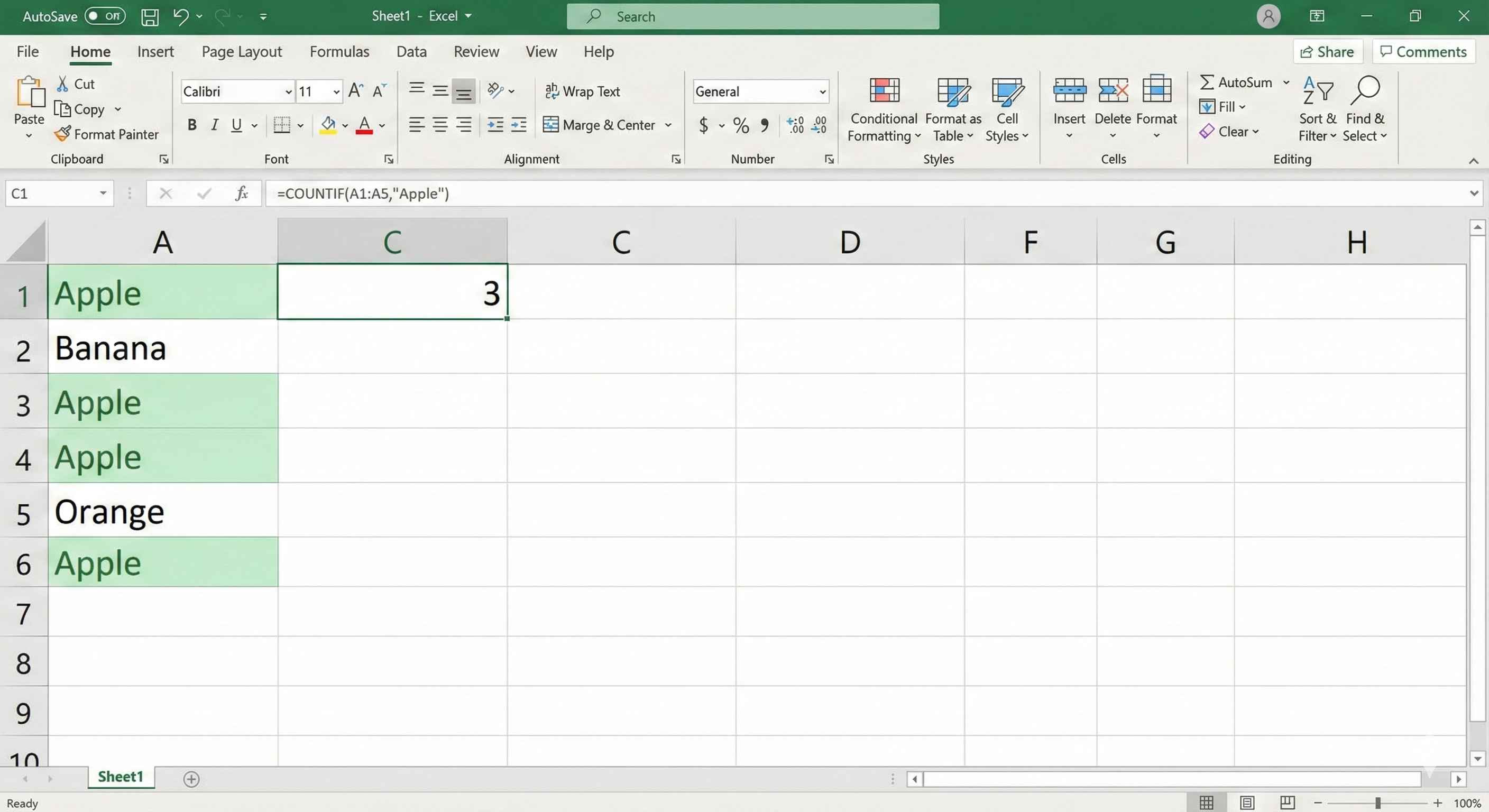
Example: Count "Apple"
| A |
|---|
| Apple |
| Banana |
| Apple |
| Orange |
| Apple |
5 rows
=COUNTIF(A1:A5, "Apple") → 3
COUNTIF with Numbers
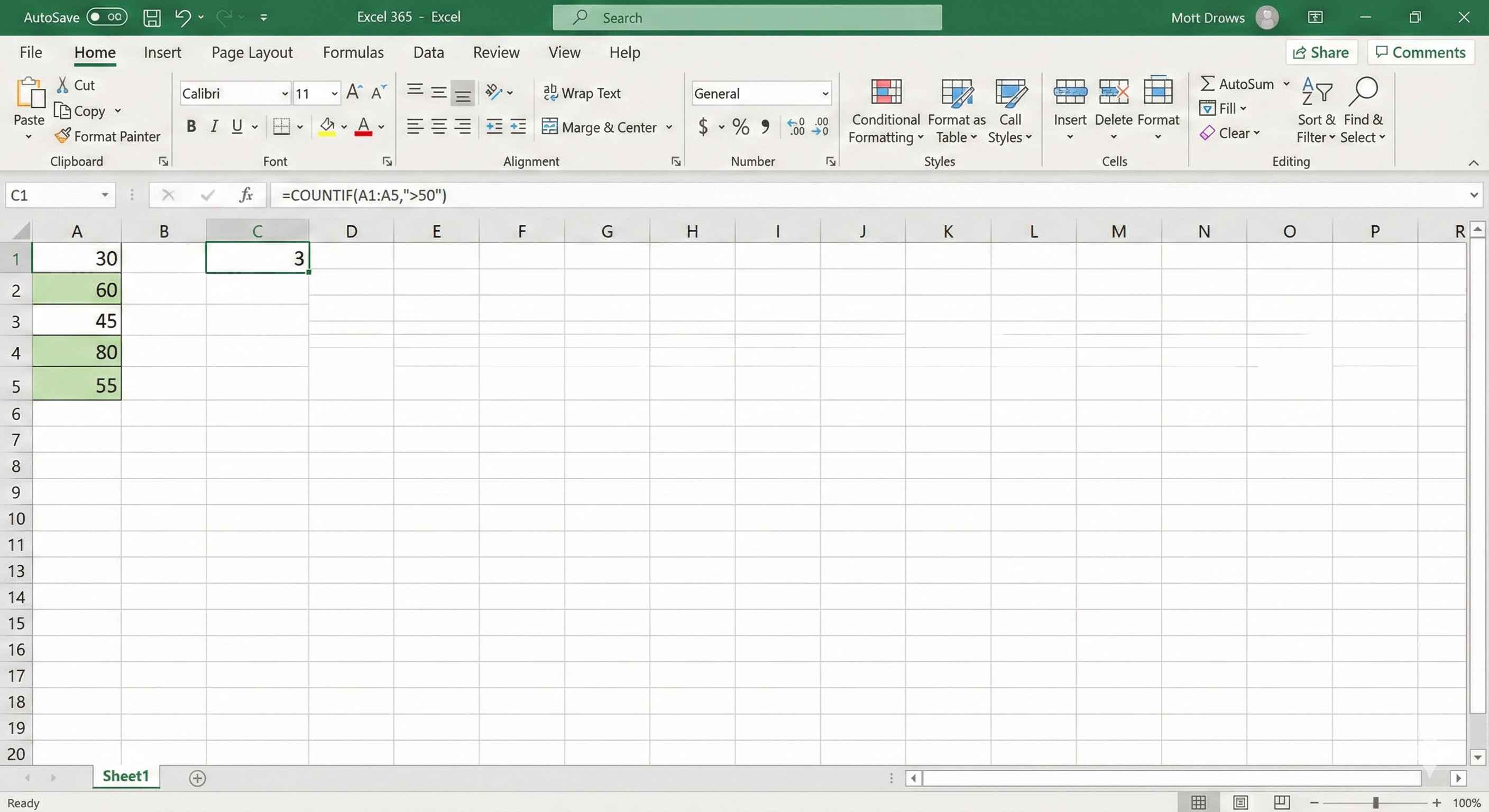
Count numbers greater than 50:
=COUNTIF(A1:A5, ">50")
| A |
|---|
| 30 |
| 60 |
| 45 |
| 80 |
| 55 |
5 rows
Result → 3 (60, 80, 55)
Other comparisons:
| Criteria | Meaning |
|---|---|
| >50 | Greater than 50 |
| <50 | Less than 50 |
| >=50 | 50 or more |
| <=50 | 50 or less |
| <>50 | Not equal to 50 |
5 rows
COUNTIFS
Counts cells that match multiple conditions.
=COUNTIFS(range1, criteria1, range2, criteria2, ...)
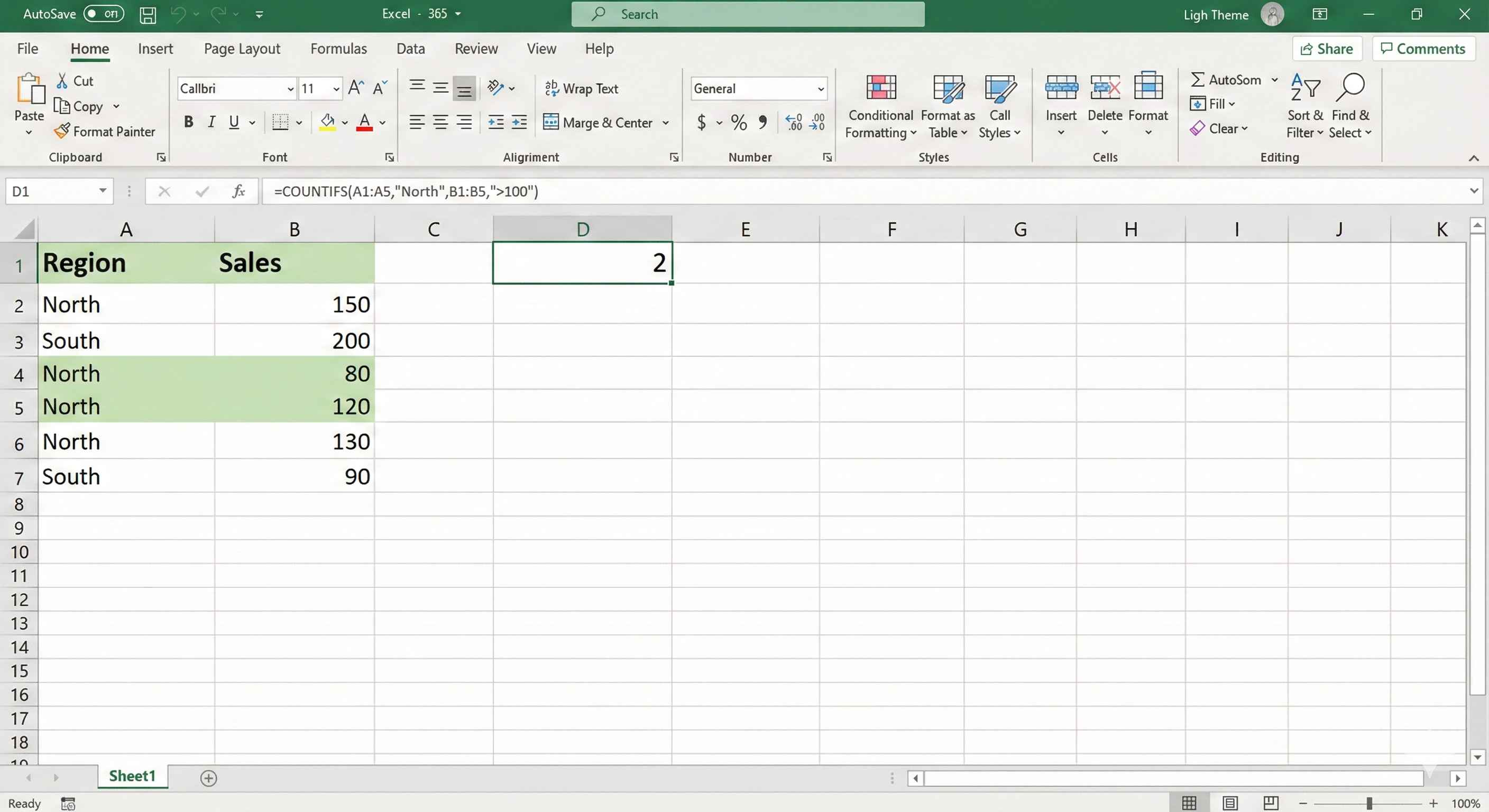
Example: Count Sales > 100 AND Region = "North"
| A (Region) | B (Sales) |
|---|---|
| North | 150 |
| South | 200 |
| North | 80 |
| North | 120 |
| South | 90 |
5 rows
=COUNTIFS(A1:A5, "North", B1:B5, ">100") → 2
Counts rows where Region is "North" AND Sales > 100.
Real Life Examples
Count passed students (score >= 40):
=COUNTIF(B2:B50, ">=40")
Count failed students:
=COUNTIF(B2:B50, "<40")
Count "Yes" responses:
=COUNTIF(C2:C100, "Yes")
Count orders: Product = "Laptop" AND Qty > 5:
=COUNTIFS(A2:A100, "Laptop", B2:B100, ">5")
COUNTIF vs COUNTIFS
| Function | Conditions | Example |
|---|---|---|
| COUNTIF | One condition | =COUNTIF(A:A, "Yes") |
| COUNTIFS | Multiple conditions | =COUNTIFS(A:A, "Yes", B:B, ">50") |
2 rows
Summary
- COUNTIF → count with 1 condition
- COUNTIFS → count with 2+ conditions
- Put criteria in quotes:
"Apple",">50" - Great for reports and dashboards