Module 5
15 min
Financial Model - Phase 3: Analysis & Metrics
Add summary metrics, break-even analysis, and insights
Financial Model - Phase 3: Analysis & Metrics
Great progress! You now have 12 months of projections. Let's add analysis.
Phase Progress
✅ Phase 1: Setup & Inputs ✅ Phase 2: Calculations Engine 🔵 Phase 3: Analysis & Metrics (You are here)
- Phase 4: Dashboard & Polish
Step 7: Add Summary Metrics
Let's calculate important business metrics at the top.
Instructions:
-
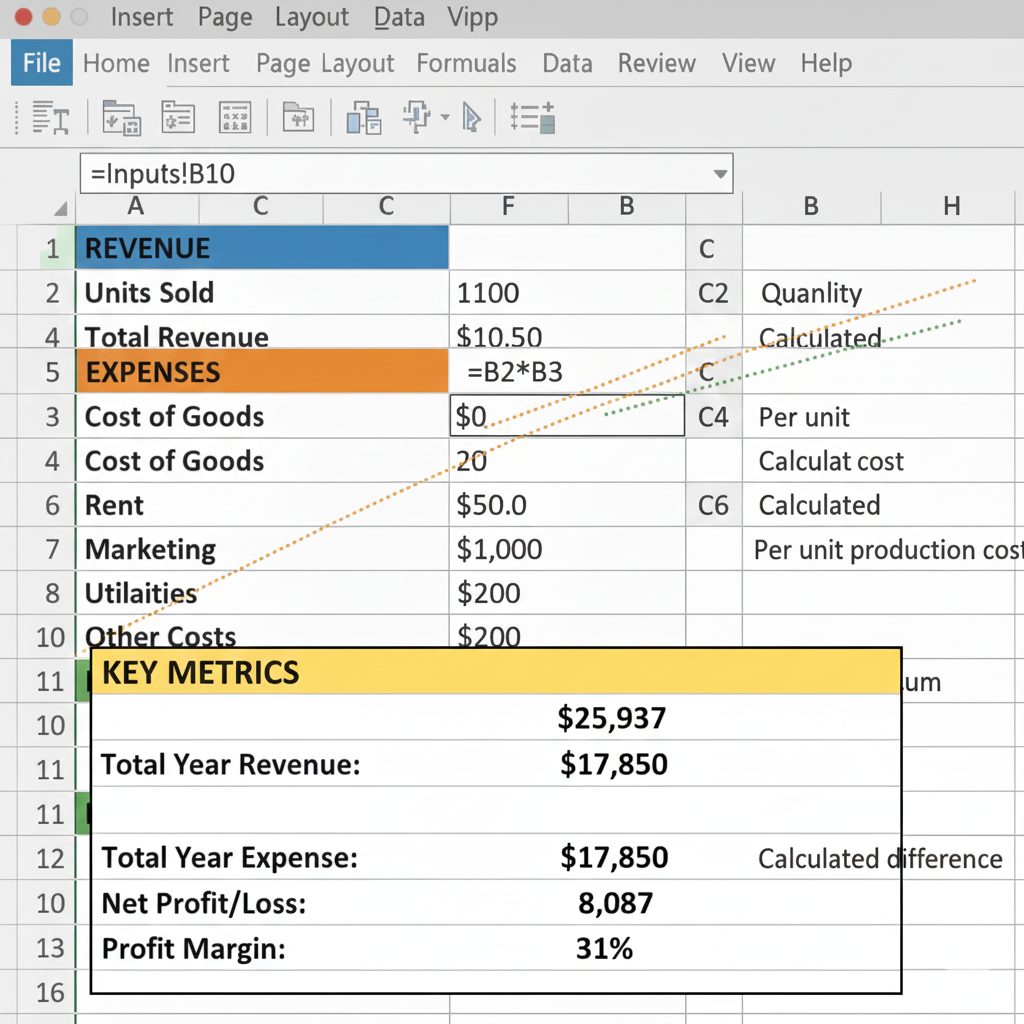
Add summary section in the Calculations sheet:
- Cell A18: Type "KEY METRICS"
- Make it Bold + Yellow background
-
Calculate total revenue for the year:
- Cell A19: Type "Total Year Revenue:"
- Cell B19: Type
=SUM(B6:M6) - Result: around $25,937
-
Calculate total expenses:
- Cell A20: Type "Total Year Expenses:"
- Cell B20: Type
=SUM(B14:M14)
-
Calculate net profit:
- Cell A21: Type "Net Profit/Loss:"
- Cell B21: Type
=B19-B20
-
Calculate profit margin:
- Cell A22: Type "Profit Margin:"
- Cell B22: Type
=B21/B19 - Format as percentage (Ctrl + Shift + %)
✓ Checkpoint: Your summary should show:
- Total Revenue: ~$25,937
- Total Expenses: ~$17,850
- Net Profit: ~$8,087
- Profit Margin: ~31%
Step 8: Find the Break-Even Month
When do we start making money? Let's find out.
Instructions:
-
Add Break-Even section:
- Cell A24: "BREAK-EVEN ANALYSIS"
- Cell A25: "Cumulative Profit by Month:"
-
Calculate cumulative profit (running total):
- Cell B25:
=B16(Month 1 profit: -$250) - Cell C25:
=B25+C16(Previous cumulative + current month) - Copy C25 right to M25
- Cell B25:
This creates a running total. When it goes positive, you've broken even!
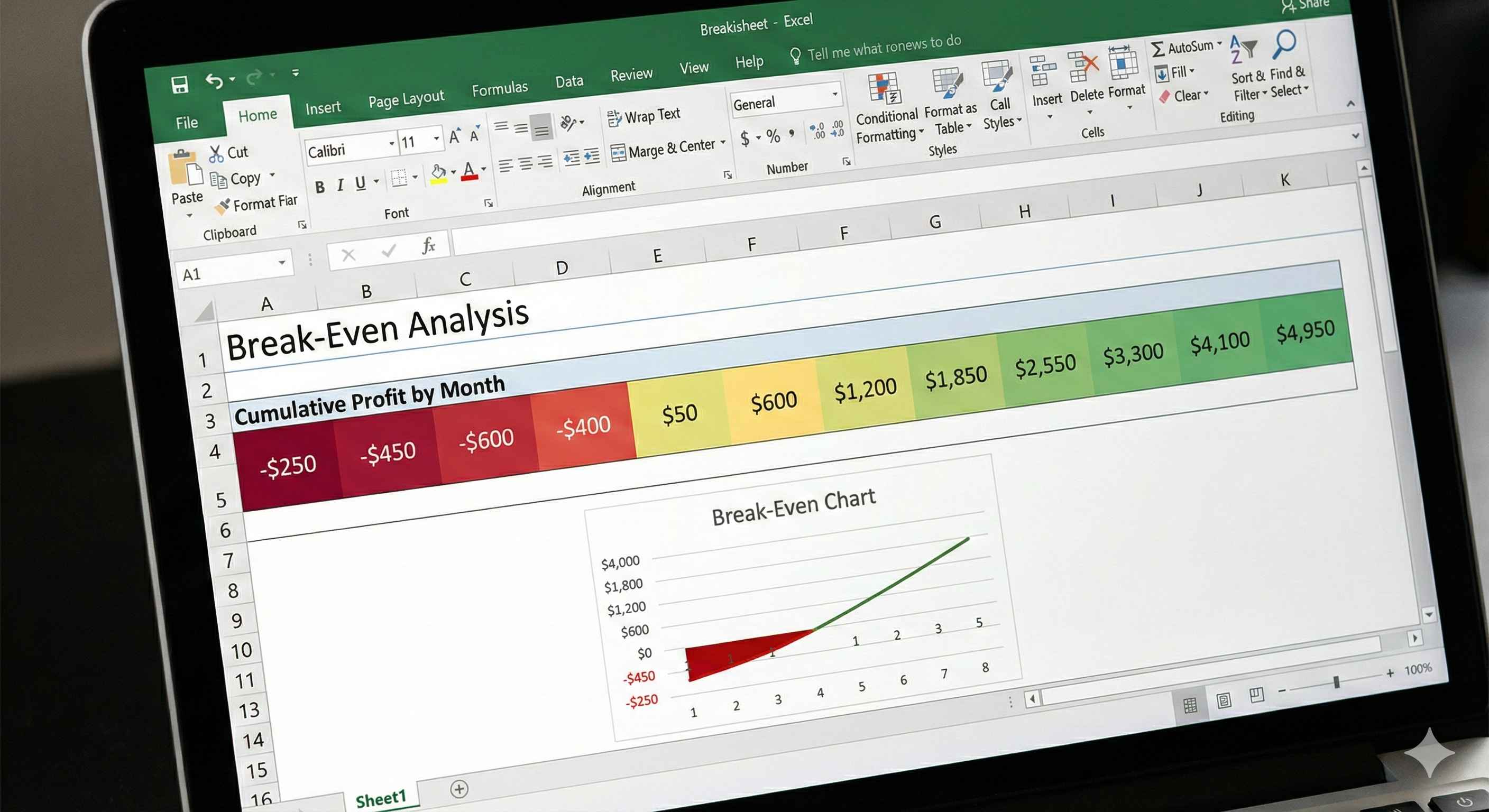
- Highlight the break-even point:
- Select B25:M25
- Conditional Formatting → Color Scales → Green-Yellow-Red
- Green = profitable, Red = still in the red
✓ Checkpoint: Cumulative profit should:
- Start negative (Month 1: -$250)
- Turn positive around Month 4-5
- End at ~$8,087 (same as annual net profit)